


Simple for your team.
Complete for your restaurant.
Excellence brings the register, the kitchen, the floor, inventory, suppliers, expenses and the petty cash box together in one system.
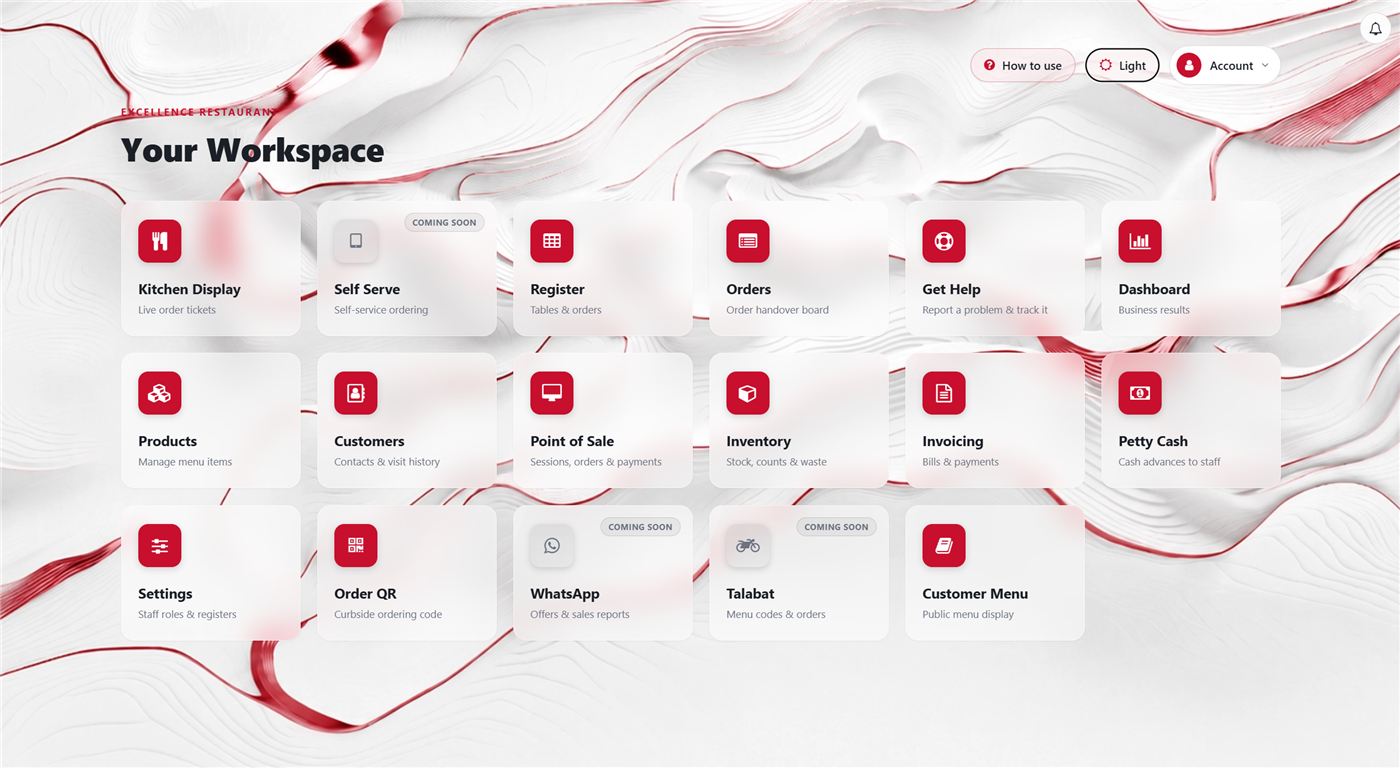
Each member of staff signs in to a clear workspace built around their role, showing only the tools they need — no clutter, and no screens that are none of their business.
Who Excellence is for
Restaurants in Oman,
whatever size yours is.
Cafés and takeaways
Built for a fast counter, where an order has to be taken, sent to the kitchen and closed in as few steps as possible.
Full-service restaurants
Tables, waiters and open bills, with the state of every order visible until it is paid.
One branch, or several
Run the menu, the staff and the sales of each branch independently, under one agreement with us. Every branch is priced the same, and never per till.
The workspace
Everyone sees only what they need.
Signing in gives each person a simple screen that matches their job. A waiter reaches the floor and the register. The kitchen team follows incoming orders. Settings and the administrative screens stay with the people authorised to use them.
A clear screen lets your team start work quickly, without long training.
Staff & access
Your manager holds the controls.
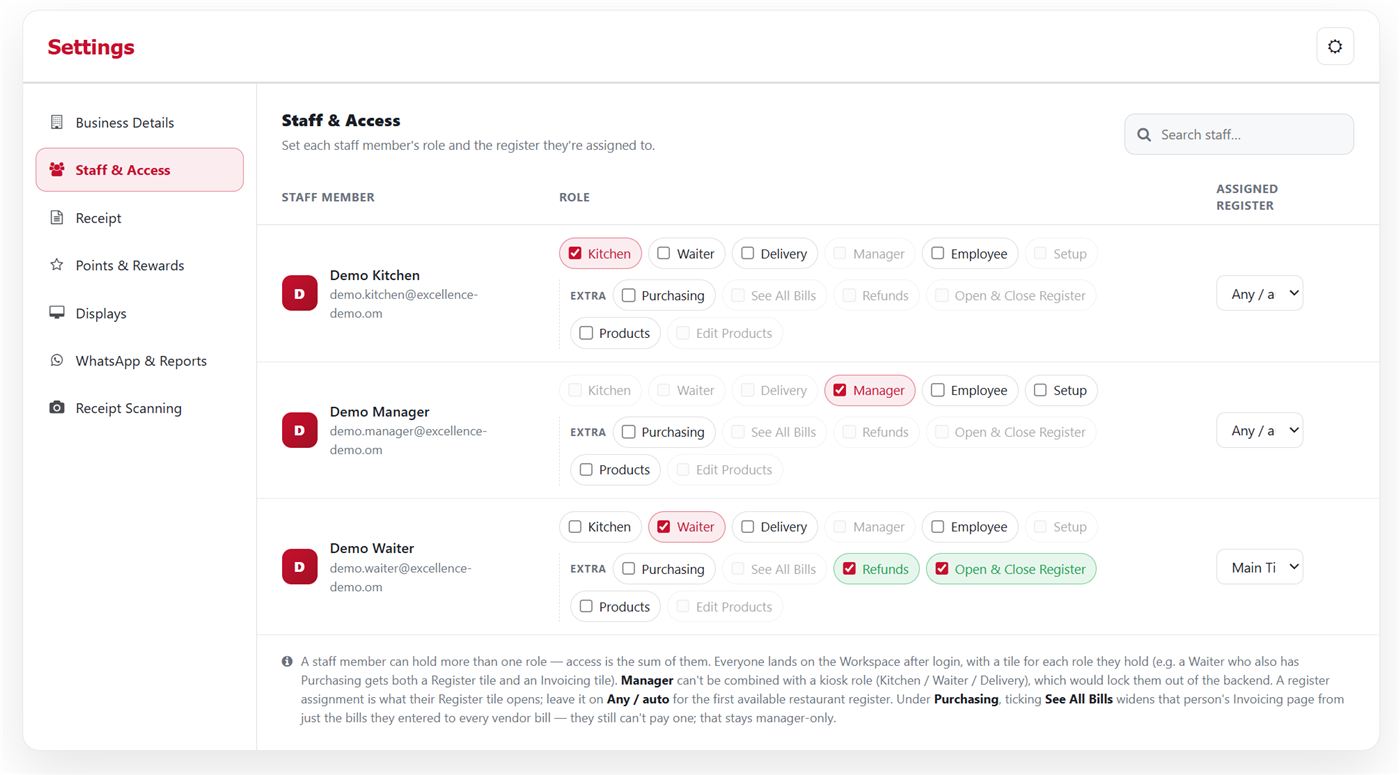
Adding a member of staff, changing a price, opening a shift, deciding who may refund or discount — your manager does all of it from the system. Create users, set their roles and permissions, and change them whenever you need, without coming back to us for every small adjustment.
You run your restaurant. We are here when you need us.
The money side
Know what you sold — and what you spent.
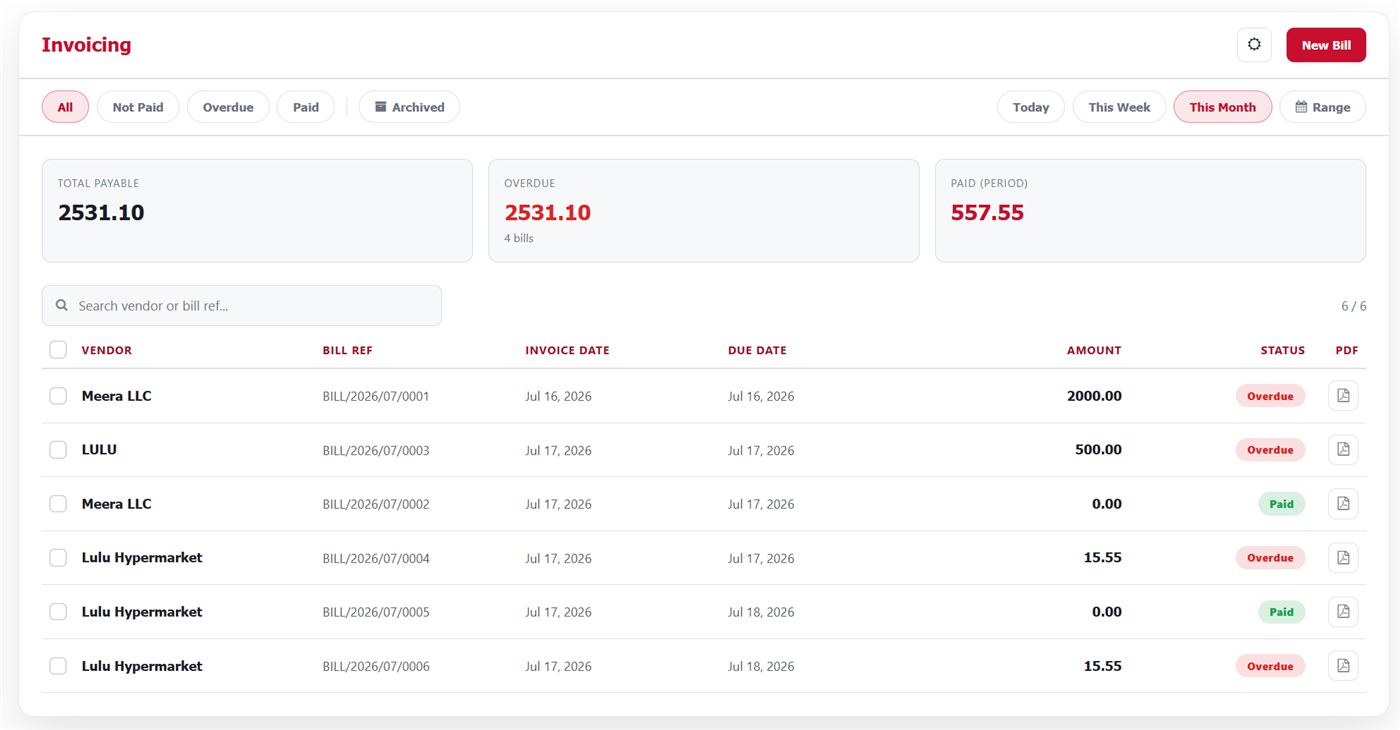
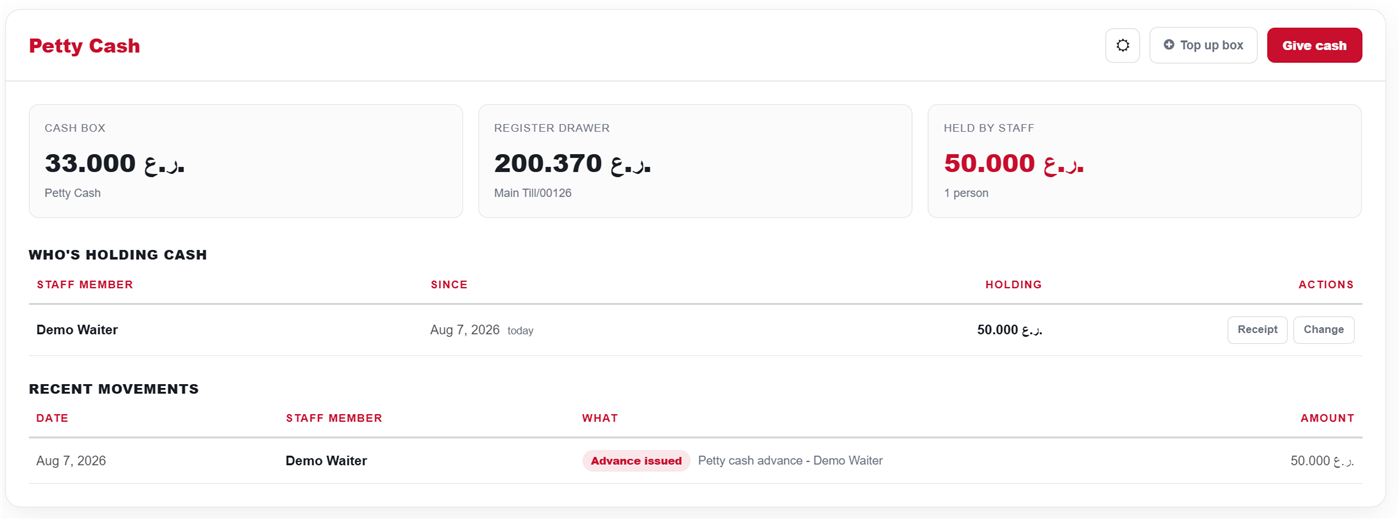
Sales alone do not show you the restaurant. Excellence keeps supplier bills, payments, expenses, the petty cash box and staff advances alongside sales and revenue, all inside one system.
You can also photograph a supplier invoice and have it come back as a draft inside the system, ready to check.
Instead of your figures being split between the till, a spreadsheet and a folder of paper, you get one clear financial picture.
Summaries & reports
Your numbers reach you wherever you are.
A regular summary of how the restaurant is doing, straight to your phone, with daily, weekly and monthly reports — so you can follow the business without opening the system every time. Net sales, order count, average ticket, cash against card, and how each shift performed.
Close at the end of the day, and know your numbers before you get home.
Example of the daily summary
Built for Oman
The Omani rial, shown properly.
Excellence shows amounts in Omani rial at three decimals — in the register, on the bill and in the reports. Arabic and right-to-left layout are part of how the system is built, not a translation added afterwards.
The system is hosted in Muscat, and developed around how restaurants here actually work.
Built in Oman — for restaurants in Oman.
What Excellence includes
One system for the whole day's work
Every screen is built for the job, and for the person doing it.
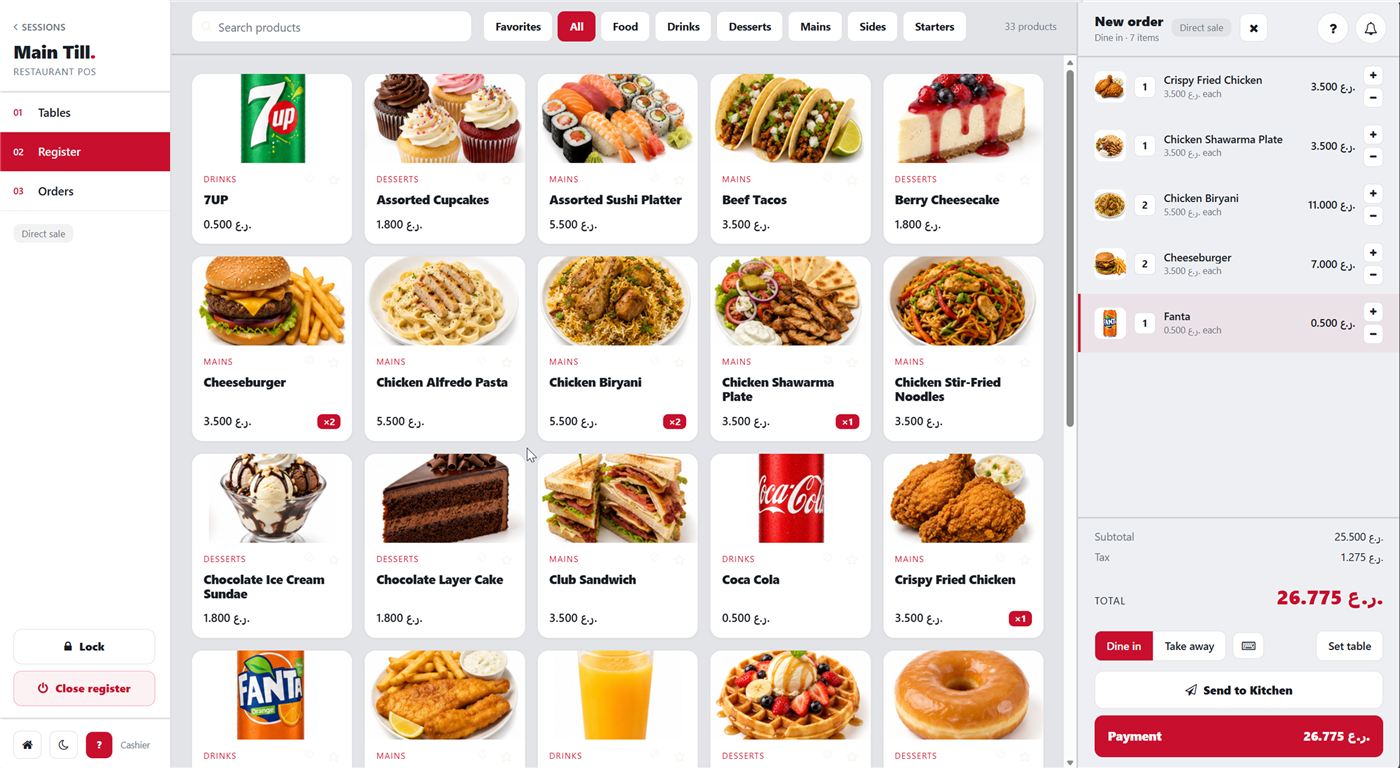
Point of Sale
Fast ordering, several payment methods, split payments, discounts and refunds by permission, and shift open and close with a cash count.
Kitchen Display
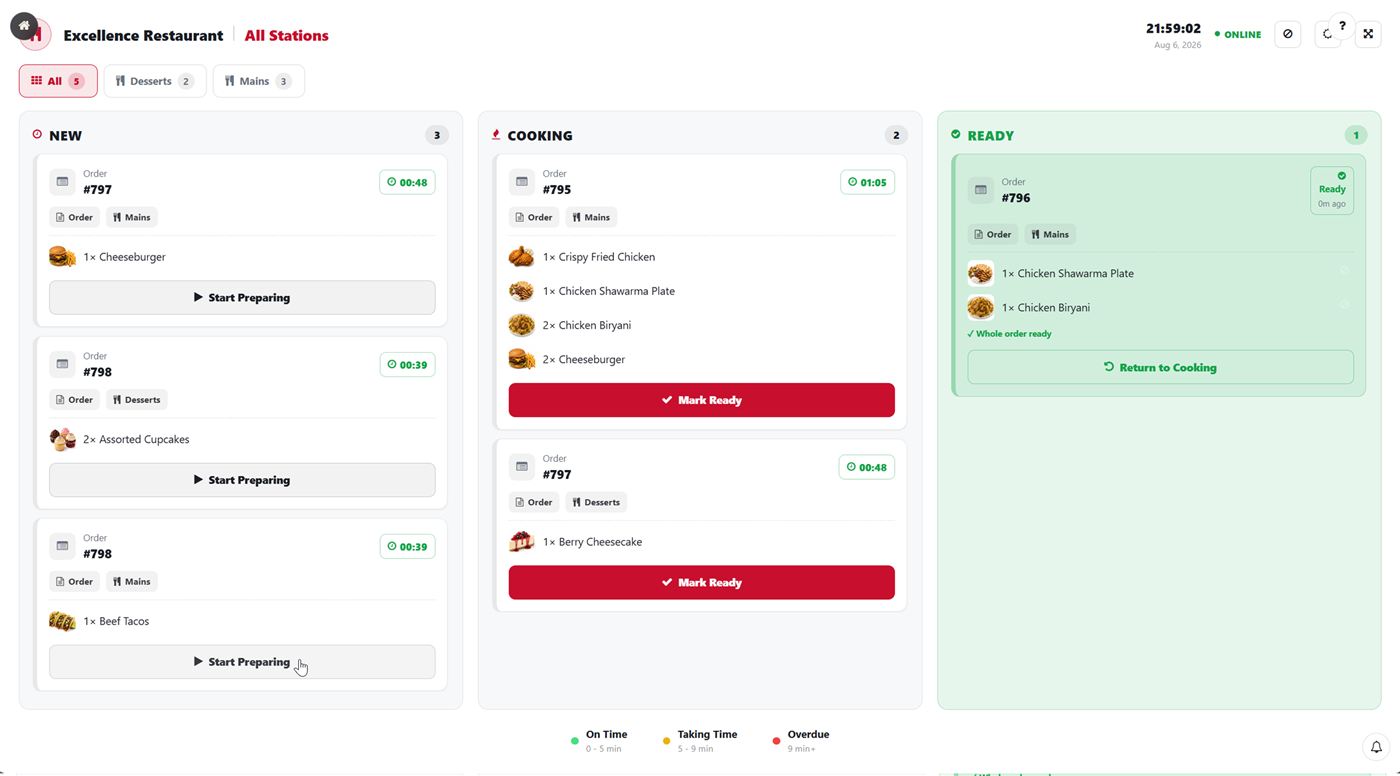
Orders reach the kitchen screen the moment they are sent from the register, so the team can follow them and order their work clearly.
Front of House
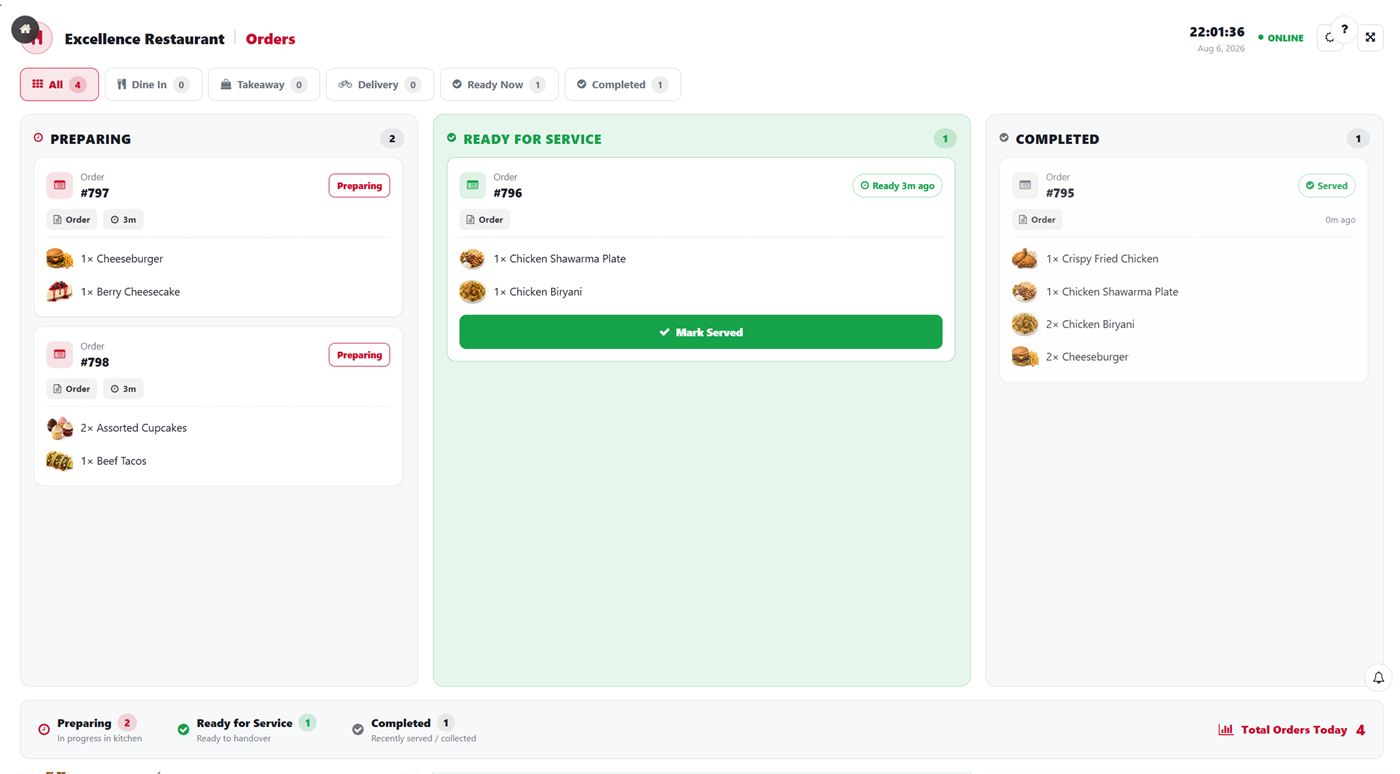
A live view of orders, their status and the tables they belong to — what is ready, and what is still being prepared.
QR customer menu
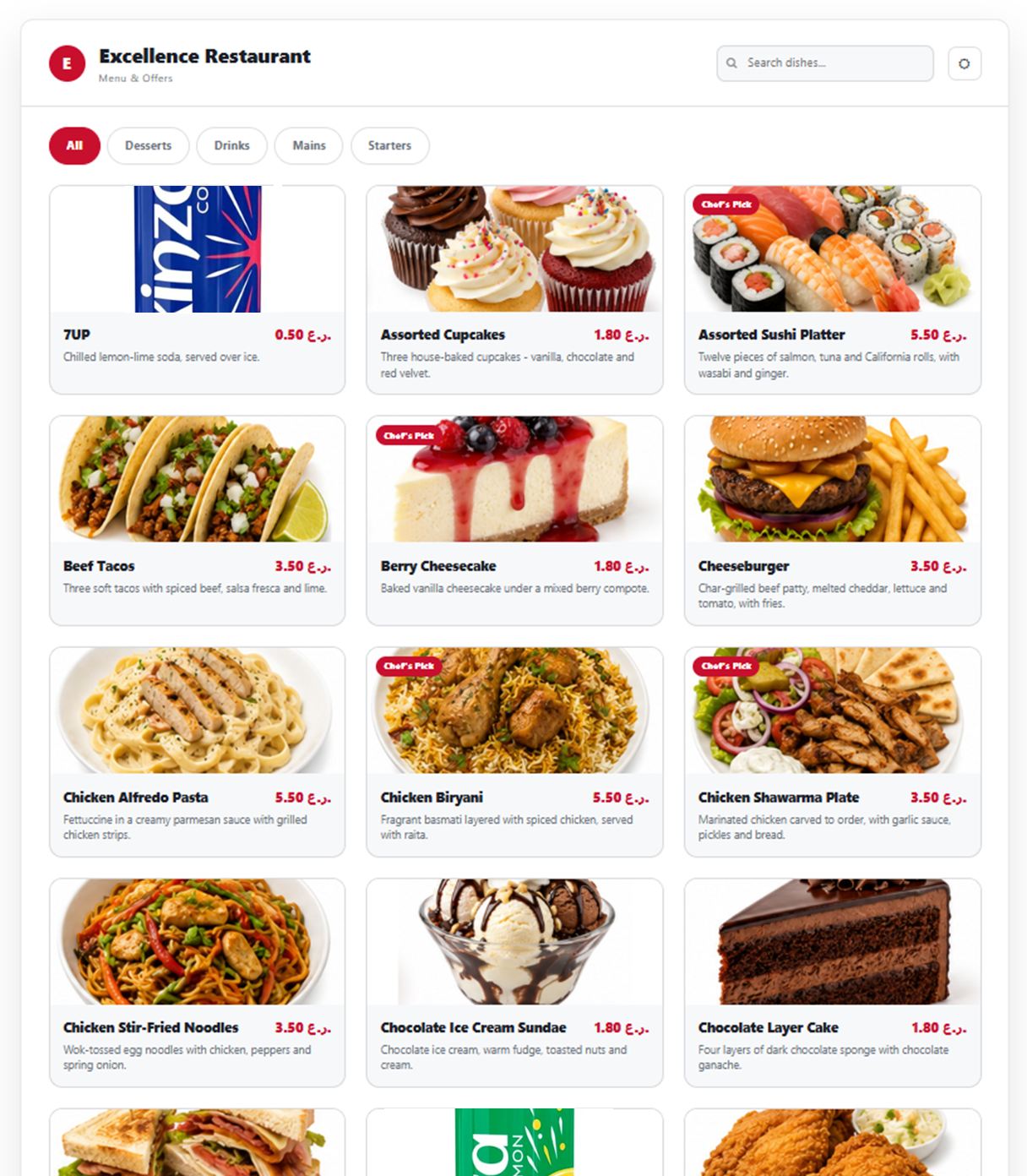
Your customers open the menu on their own phones from a QR code. Change an item or a price and the menu follows, with nothing to reprint.
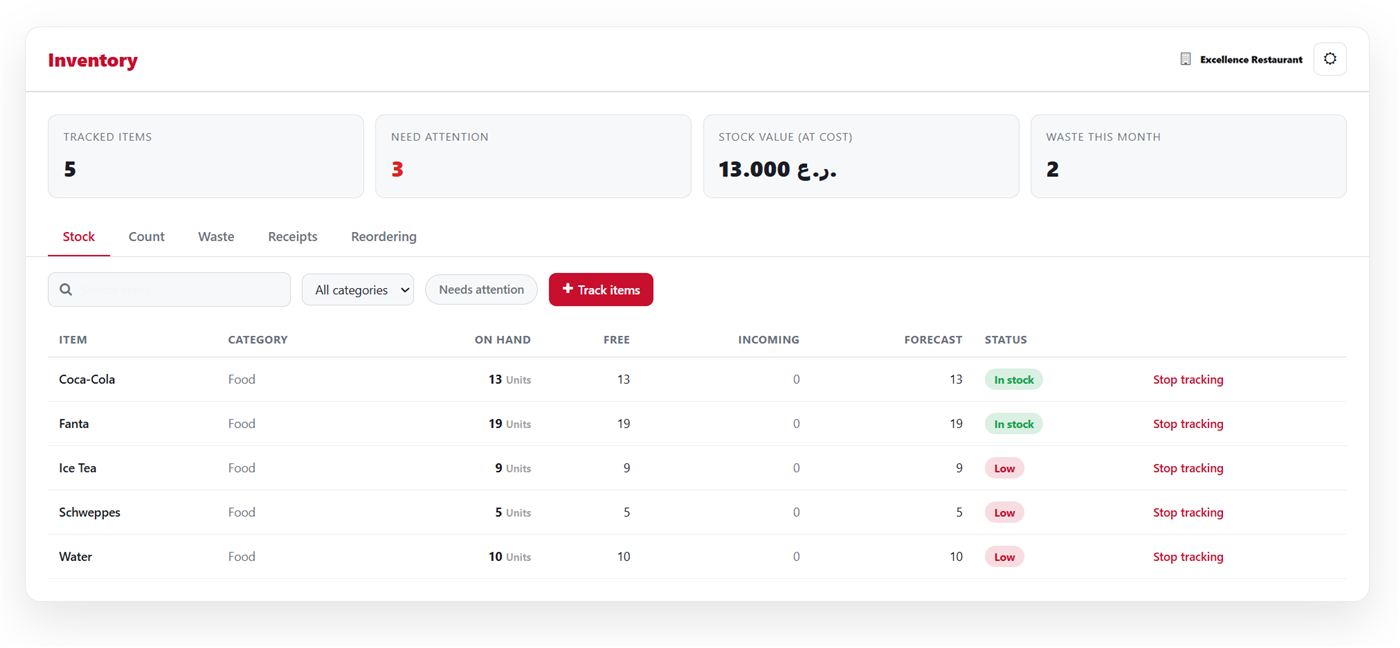
Inventory
Tracking for the items that are worth tracking, with practical tools for what you hold and how it moves.
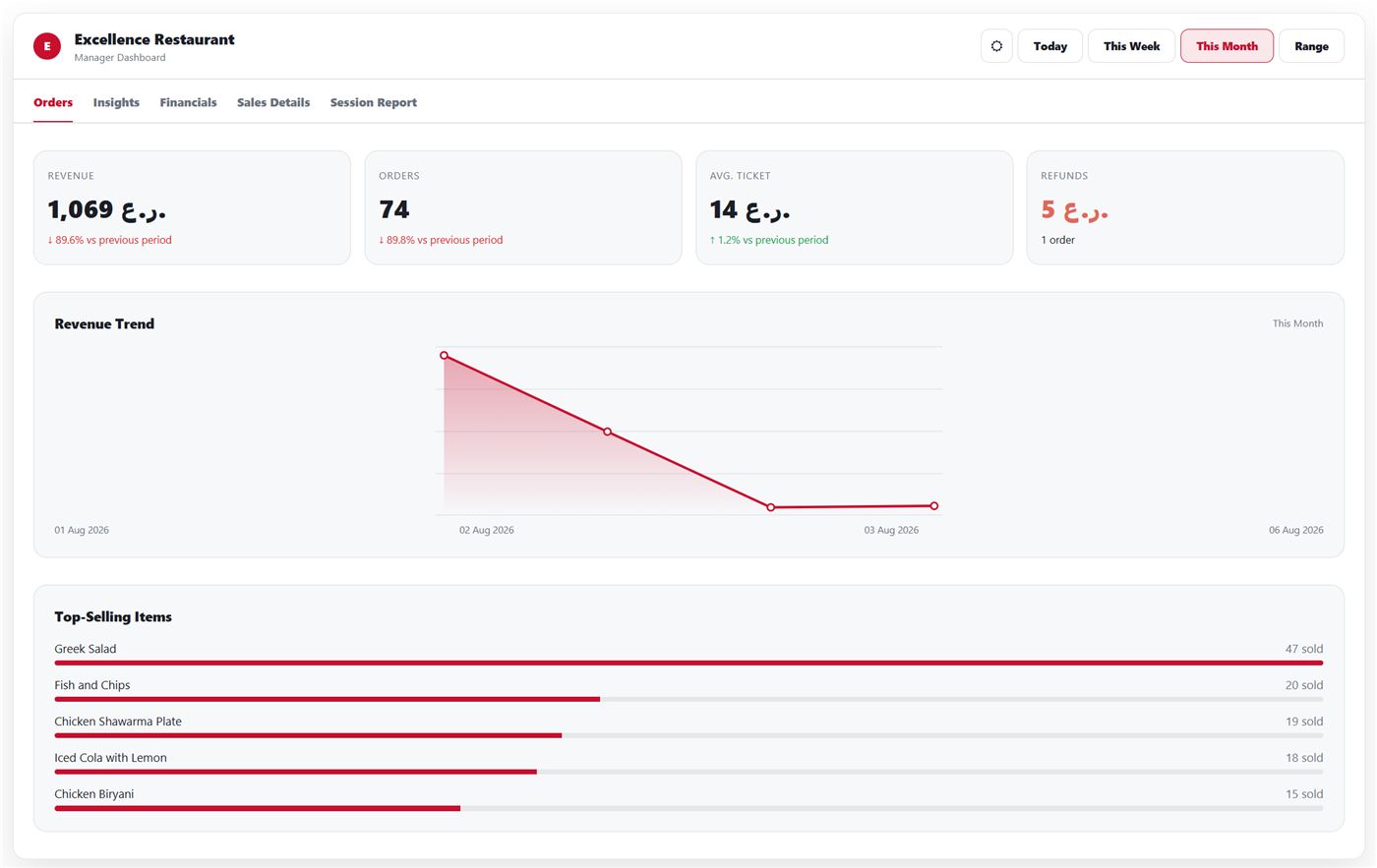
Reports & dashboard
Sales, shifts, staff, expenses and payments in one place. Choose the day, the week or the month.
Is Excellence right for you?
Built for restaurants that want it all in one place
There are cases where it is not the best choice, and they are worth saying early:
- A very small operation that only needs a simple or free app to record sales.
- A hotel that needs reservations, room status and housekeeping — that is what iVISION StayFlow is being built for, and it is coming soon.
- A site that needs a system running fully and permanently without an internet connection. Excellence is a cloud system, and needs to be online to do everything it can do.
Some sensitive permissions — creating senior administrative accounts, for one — also carry extra controls, to protect the system and your data.
How we start
From the first demo to your first shift
We set the system up around how your restaurant actually works — from the menu and the staff to the hardware, the printers and the permissions.
See it on your own menu
Rather than a generic demo, we load some of your real items so you can see how the register, the kitchen screen and the reports will look in your restaurant.
We set it up with you
Menu, staff, roles, permissions, printers and hardware. On-site setup and training is available if you would rather we came to you.
Run your first shift
We are with you through the launch to be sure the system and the team are ready. After that your manager runs the day to day, and we stay available.
See Excellence running in your restaurant.
Book a demo and we will show you how it brings the whole operation into one system.
Support is available Saturday to Thursday, 8am to 11pm — hours that match how restaurants actually run.